
SiteToQuote guide
A practical guide to SiteToQuote. Product availability and features depend on your installed version. Check product information for current availability.
Get started
Set up your details
Open Settings and choose the currency and regional format for new documents. Add your business details before creating a customer document. Existing documents keep their original currency.
Create a document
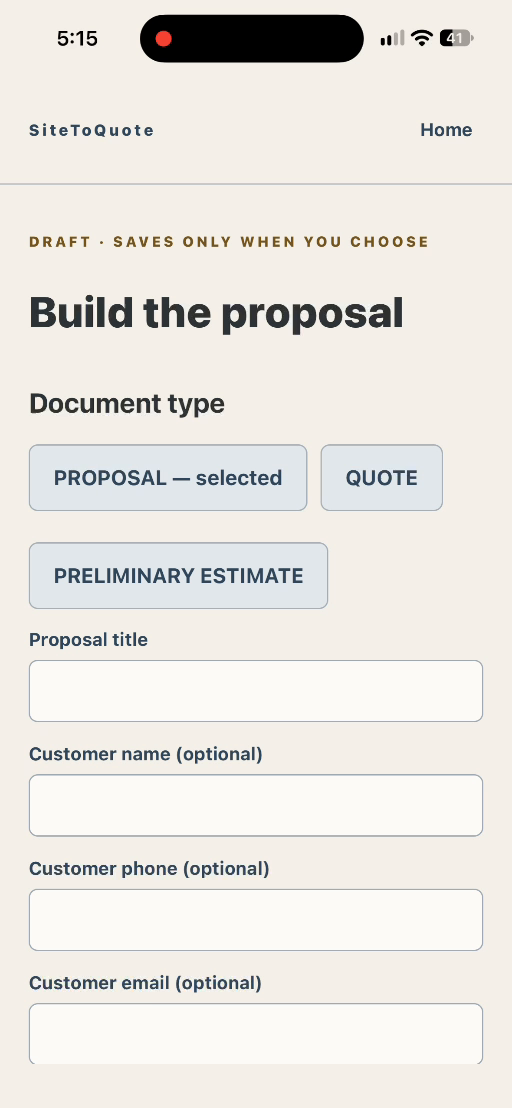
Start a new document. Choose Proposal, Quote or Preliminary Estimate. Give it a name, describe the work and add pricing. Add notes, exclusions, validity dates and relevant job photos when needed.
Review before sharing
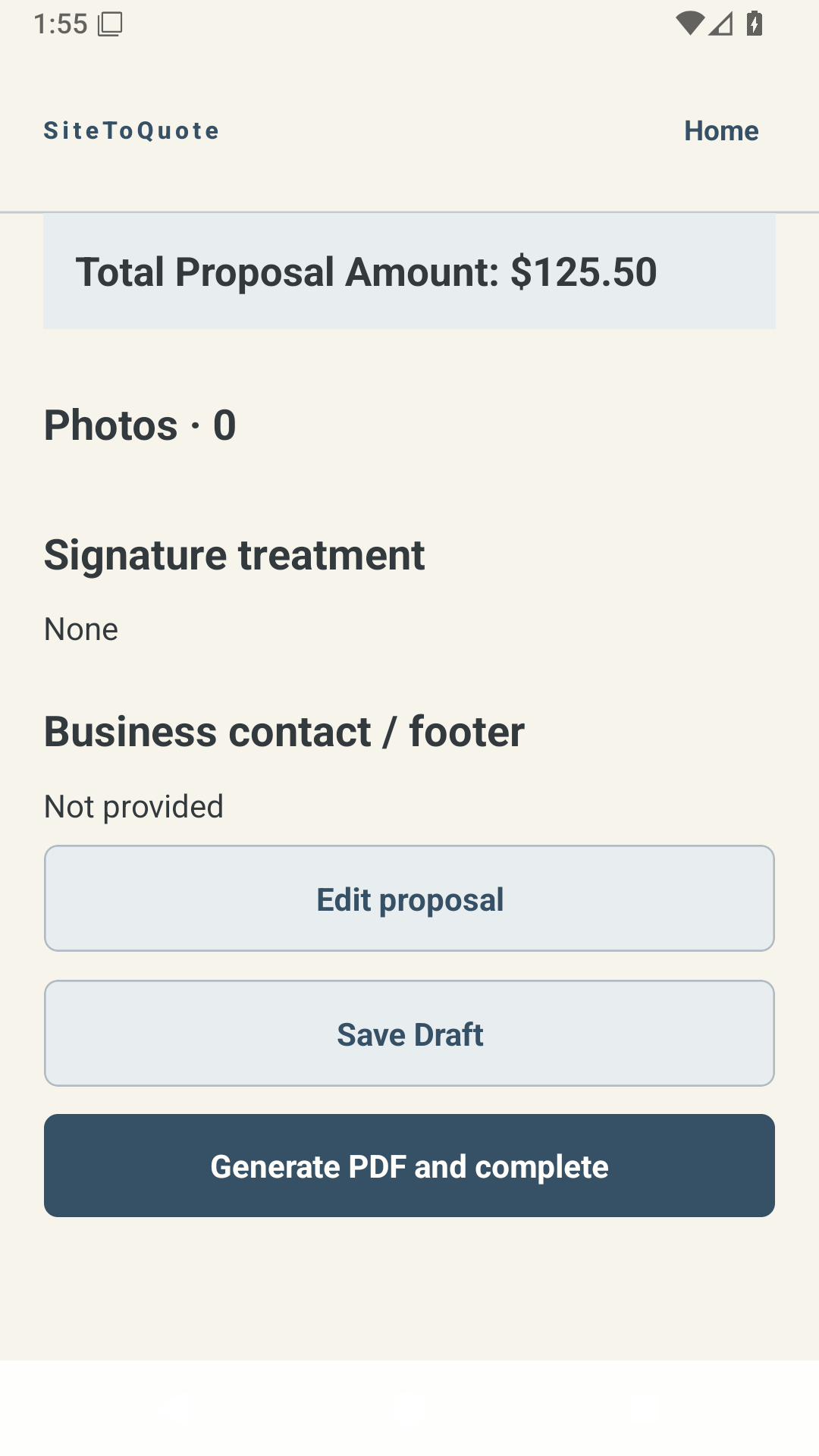
Open Review and check the customer, scope, amounts, currency and photos. Correct anything missing. Choose Generate PDF and complete when the review is correct.
Keep and share the PDF
Open the saved PDF and use your device share options to send or save it. Check the actual PDF before sending it to a customer. Closing or cancelling the share sheet does not mean it was sent.
Return to saved work
Open a saved record from history. Completed documents remain a record of what was saved; make a copy when you need a new version.
Questions & troubleshooting
Where is the tutorial in the app?
If your Home screen has a Tutorial button, tap it to open this guide. Earlier versions may place Help & Tutorials in Settings. You can always visit this page directly. Opening the guide needs internet; returning to the app does not remove your saved records.
Can I work offline?
Core records and PDF preparation are kept on your device. This online guide and sending through other services need a connection.
Will updating erase my quotes?
Keep the app installed when updating. SiteToQuote 1.0.0 (7) was tested on iPhone with existing records preserved. Uninstalling can remove local data.
The PDF did not send.
Reopen the saved document and its PDF, then try sharing again. Check the destination app. A cancelled share is not proof of delivery.
I see a recovery message.
Stop before deleting the app or clearing data. Contact support and describe the message; do not send customer documents unless requested and appropriate.
Need more help?
Contact conceptsrefinery@gmail.com with the app version, device type and the step that failed. Avoid including customer data. Never send passwords or payment details.